
Appearance
Getting Started with OrderDay
Welcome to OrderDay! This guide will help you get up and running with your new inventory management system.
What is OrderDay?
OrderDay is an inventory management and purchase order automation system built specifically for Shopify stores. It helps you:
- Track supplier costs and margins in real-time
- Manage multiple suppliers per product
- Generate smart purchase order recommendations
- Automate order creation and email delivery
- Monitor inventory levels and prevent stockouts
- Analyze sales velocity and seasonality
Quick Start (5 minutes)
1. Install the Shopify App
- Visit the OrderDay app listing in the Shopify App Store
- Click "Add app" to begin installation
- Review the permissions and click "Install app"
OrderDay requires the following Shopify permissions:
- Products: Read product details, variants, and inventory
- Orders: Read order history for sales velocity calculations
- Inventory: Track stock levels across locations
2. Verify Your Products
Before connecting, take a few minutes to ensure your Shopify products are configured correctly:
- Vendor field - Set to your distributor name (not the brand)
- SKUs - Filled in for all products
- Barcodes - Added where available
TIP
This step is critical for automatic distributor matching. See our Product Setup Guide for details.
3. Connect Your Store
After installation, you'll be redirected to the OrderDay dashboard:
- One-Click OAuth: Your store is automatically connected
- Initial Sync: OrderDay fetches your products and orders (may take 1-2 minutes)
- Webhook Setup: Automatic updates are configured for products and orders
4. Add Your First Supplier
- Navigate to Suppliers in the sidebar
- Click Add Supplier
- Fill in supplier details:
- Name (e.g., "Acme Pet Supplies")
- Email (for purchase orders)
- Lead time (days from order to delivery)
- Minimum order amount (optional)
- Click Save
5. Set Product Costs
- Go to Products → Cost Tracking
- Find a product and click Add Supplier Cost
- Enter:
- Supplier name
- Cost per unit
- Units per case (if ordering by case)
- Product code (supplier's SKU)
- Click Save
The system will automatically calculate margins based on your Shopify selling price.
6. Create Your First Order
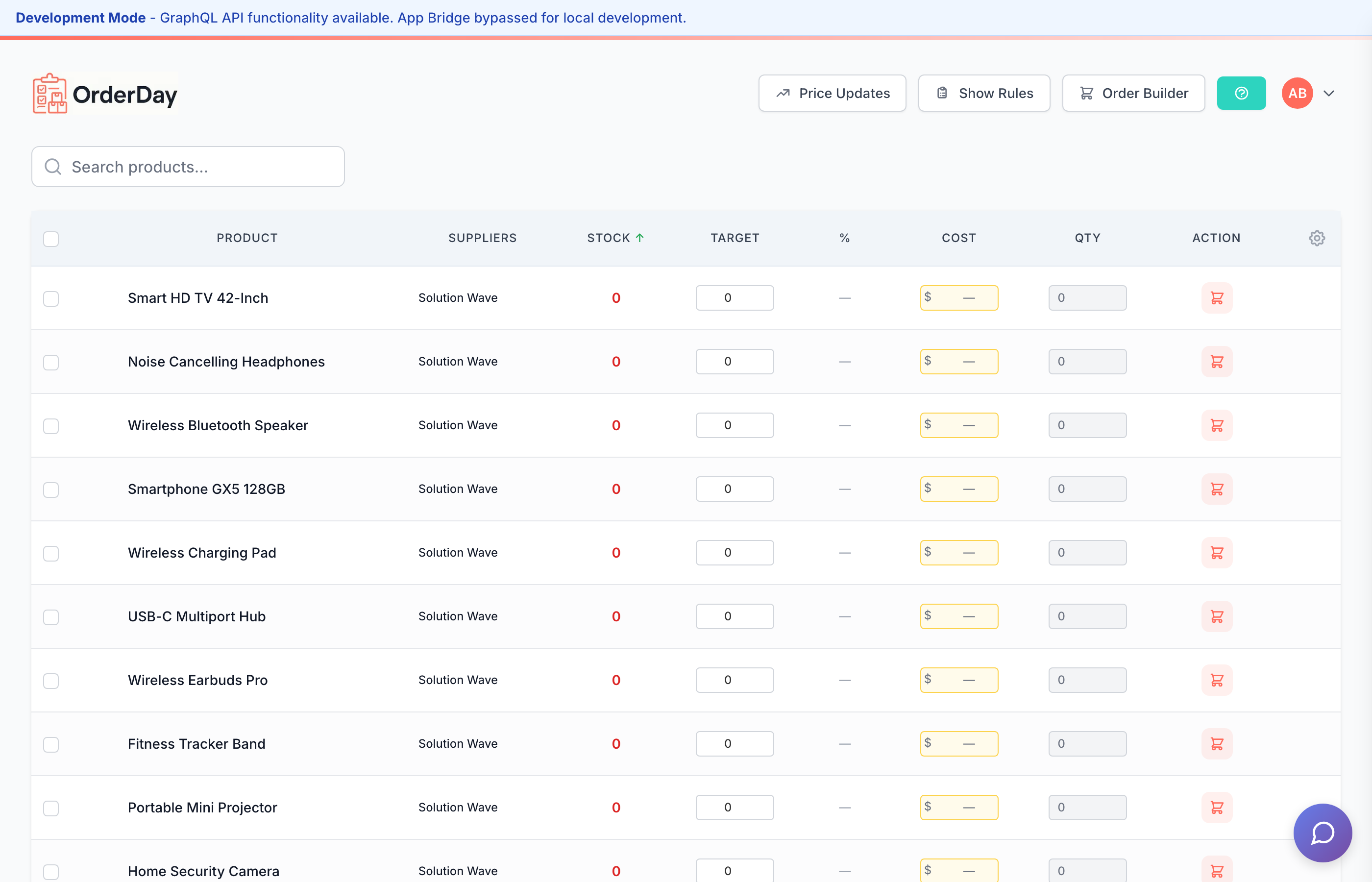
- Navigate to Order Day
- Review the recommended order quantities (based on sales velocity and stock levels)
- Adjust quantities as needed
- Click Generate Purchase Order
- Review the PDF preview
- Click Email to Supplier or Download PDF
What's Next?
Now that you're set up, explore these key features:
- Product Setup - Configure products for optimal OrderDay performance
- Shopify Integration - Understanding data sync and webhooks
- Your First Order - Detailed order creation workflow
- Supplier Management - Advanced supplier features
- Order Day Workflow - Order recommendations and filtering
- Inventory Tracking - Reorder points and stock alerts
Need Help?
- Check our FAQ for common questions
- Contact support at support@orderday.co
- View system status
Pricing
OrderDay offers flexible pricing to fit your business:
- FREE: $0/month (50 products, 5 suppliers)
- COMPLETE: $49/month (unlimited products and suppliers)
All paid plans include priority support and advanced features.