
Appearance
Distributor Management
Manage your distributors with detailed profiles, order schedules, and per-product case size configurations.
Terminology
This page uses "Distributor" as the default term. Your OrderDay may say "Supplier", "Vendor", or another term based on your terminology settings.
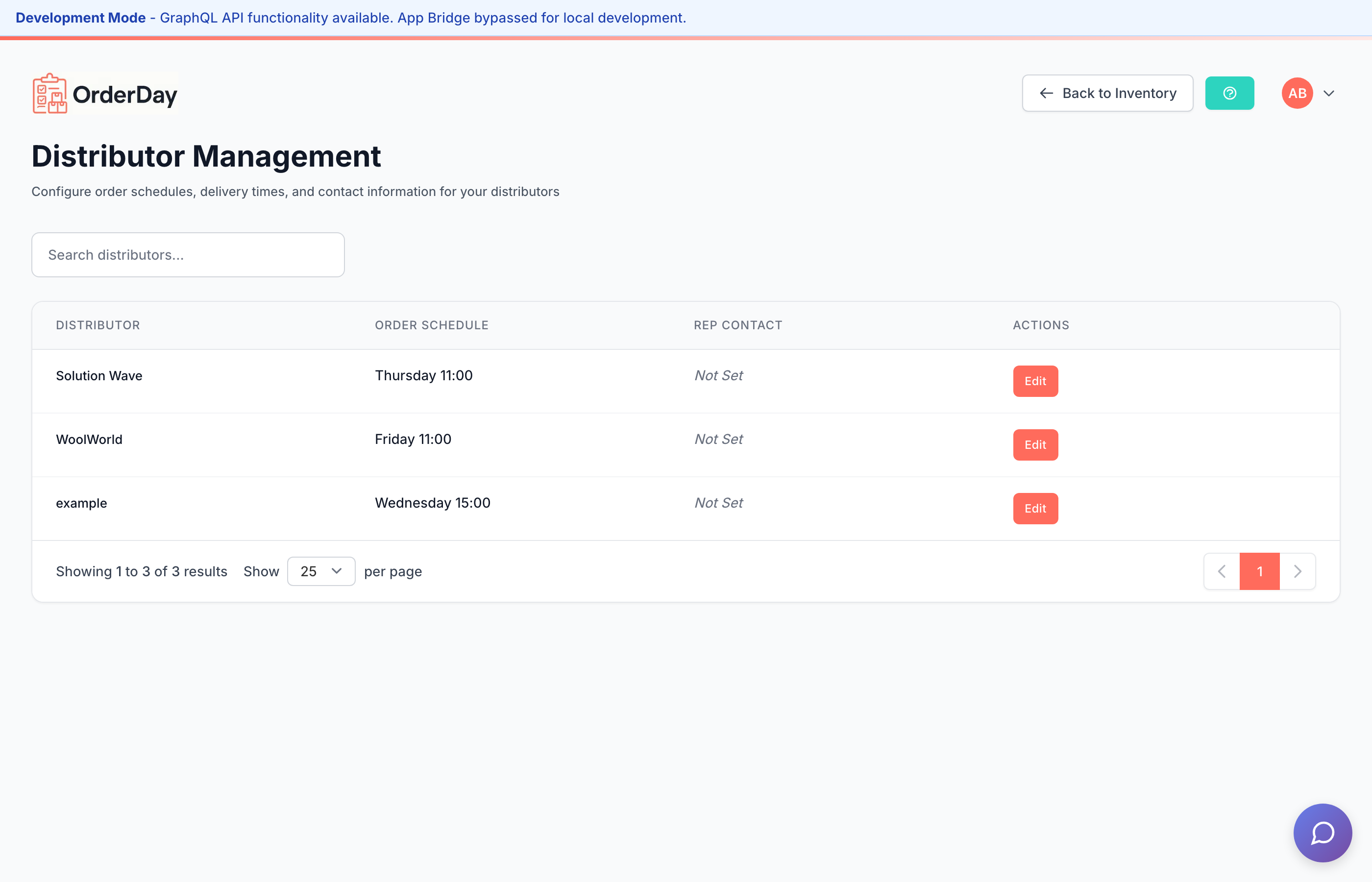
Overview
OrderDay's distributor management helps you:
- Track multiple distributors for the same products
- Configure different case sizes per distributor
- Set order schedules and cutoff times
- Compare costs across distributors
- Manage payment terms and contact information
Distributor Profiles
Each distributor profile includes:
Basic Information
- Name - Distributor/vendor name (synced from Shopify)
- Order Schedule - Day and time for placing orders
- Delivery Days - Expected delivery timeframe
- Order Minimum - Minimum order requirements
Contact Information
- Sales Rep - Name, phone, and email
- Orders Email - For placing orders
- Credits Email - For credit claims
- AR Email - For accounting/invoices
Payment Terms
- Payment Method - Cash, Credit Card, or Net Terms
- Net Terms - Payment due days (NET30, NET60, etc.)
- Order Portal - Link to distributor's ordering system
Per-Variant Case Sizes
New Feature
Configure different case sizes for the same product across different distributors.
The Problem
Many products are available from multiple distributors, but each distributor may sell them in different case configurations:
- Sysco sells Product X in 12-packs
- US Foods sells the same Product X in 20-packs
The Solution
OrderDay lets you set case sizes per distributor-variant combination:
- Navigate to a product with multiple distributors
- Click "Compare Suppliers" to see all options
- View case sizes - Each distributor shows their case configuration
- Set custom case sizes - Override defaults for specific distributors
Case Size Inheritance
Case sizes follow an inheritance pattern:
| Priority | Source | Description |
|---|---|---|
| 1 (Highest) | Distributor-specific | Custom case size for this distributor |
| 2 | Variant default | Default case size for this variant |
| 3 | Product default | Default case size for the product |
| 4 (Lowest) | None | Treated as single units |
The UI shows where each case size comes from:
- "custom" - Set specifically for this distributor
- "from variant" - Inherited from variant settings
- "from product" - Inherited from product settings
Setting a Preferred Distributor
Mark a distributor as "preferred" for a variant:
- Preferred distributors appear first in comparisons
- Order suggestions prioritize preferred distributors
- Only one distributor can be preferred per variant
Quick Portal Access
New Feature
Access distributor ordering portals directly from OrderDay.
Each distributor profile can include an Order Portal URL. This enables:
- One-click access - Click the external link icon to open the distributor's portal
- Session header links - Quick access from the Order Day header when building orders
- No more bookmark hunting - All your portal links in one place
To add a portal URL:
- Go to Distributors page
- Edit the distributor profile
- Add the portal URL in the "Order Portal" field
- Save changes
Multiple Distributors View
When a product is available from multiple distributors, you'll see:
- Cost comparison - Side-by-side pricing
- Savings indicator - Shows potential savings vs. highest price
- Case size badges - Units per case for each distributor
- Lead times - Delivery timeframes
- Next order date - Based on distributor schedules
Enhanced Alternative Display
New Feature
See the best alternative distributor at a glance without opening the comparison modal.
Products with multiple distributors now show:
- Primary distributor with a badge showing how many alternatives exist
- "Also: [Distributor]" line showing the best alternative option
- Case size info for the alternative (e.g., "case of 12")
Click either line to open the full comparison modal and switch distributors.
Best Practices
Setting Up Distributors
- Import from Shopify - Distributors are auto-created from product vendors. Ensure your Shopify vendor fields are configured correctly.
- Add schedules - Set order days and cutoff times
- Configure contacts - Add sales rep information
- Set payment terms - Track how you pay each distributor
Managing Case Sizes
- Start with product defaults - Set case sizes at the product level
- Override when needed - Add distributor-specific sizes only when they differ
- Review regularly - Case sizes may change with distributor updates
Comparing Distributors
- Check total cost - Consider case size in cost calculations
- Factor in minimums - Some distributors require minimum orders
- Consider lead times - Faster delivery may justify higher costs
Customizing Terminology
If "Distributor" doesn't match your business vocabulary:
- Go to Settings > Terminology
- Change "Supplier" to your preferred term
- Save changes
The entire OrderDay interface updates to use your chosen terminology. See Terminology Customization for details.
Related Features
- Order Day - Use distributor data in ordering
- Inventory Management - Track stock levels
- Terminology - Customize naming throughout OrderDay
- Purchase Orders - Send orders to distributors