
Appearance
Order Day
The Order Day feature is OrderDay's core workflow for generating purchase order recommendations.
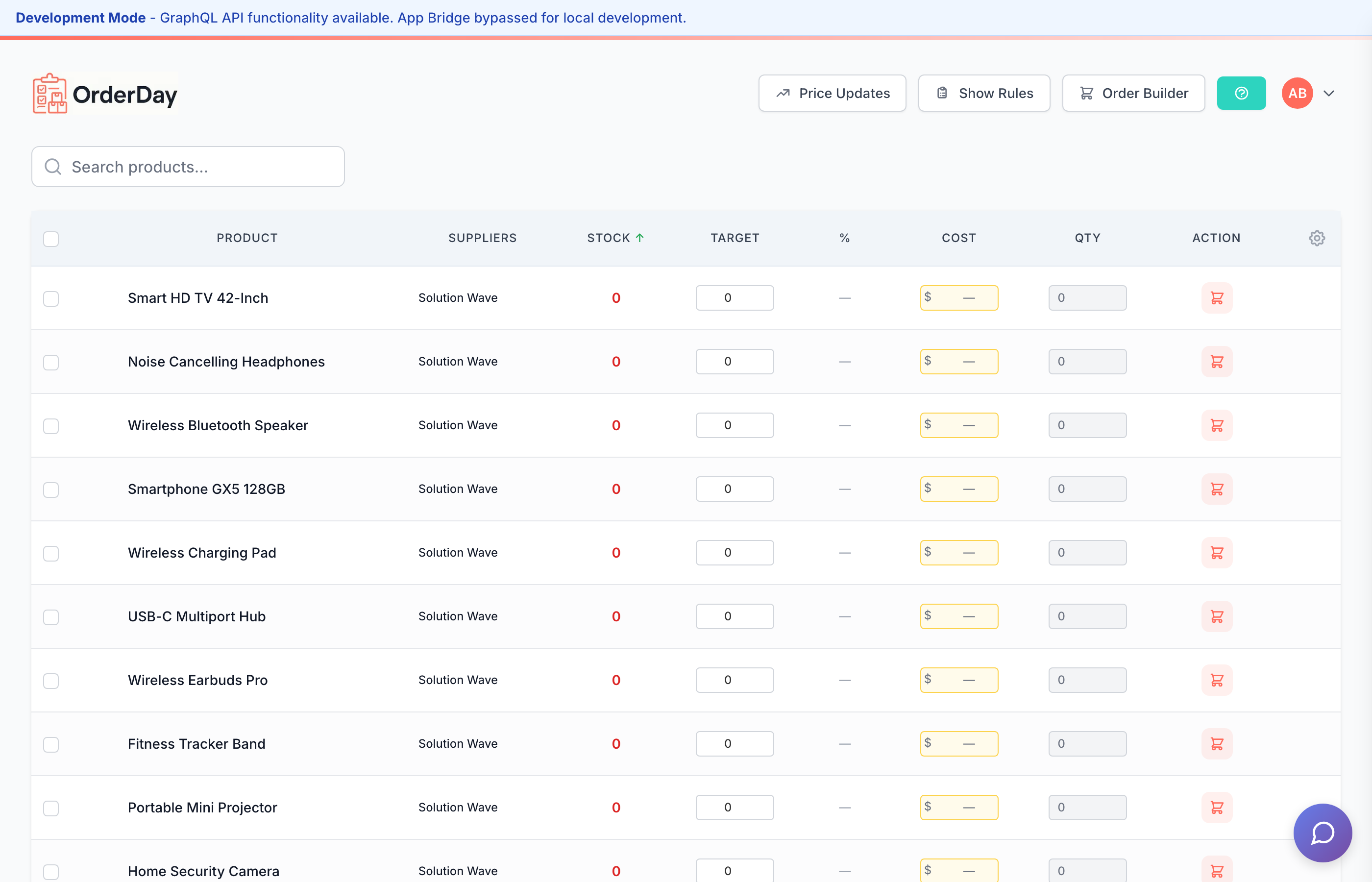
Quick Overview
Order Day helps you:
- Review recommended order quantities
- Filter products by stock level, supplier, or category
- Compare multi-supplier pricing
- Generate and email purchase orders
Regular Customer Reserves
Order Day displays your regular customer reserve data directly in the product table. This helps you make smarter ordering decisions by showing inventory that's already spoken for.
How it works:
- Purple "Reserved: X" badges appear next to inventory quantities
- Hover over the badge to see which customers have reserves
- Warning indicators (red badge with ⚠️) appear when reserved quantity exceeds available inventory
This ensures you don't accidentally sell reserved stock and can order enough to cover your regular customers' expected purchases.
Inline Case Size Editing
Quickly adjust case sizes without leaving the Order Day page:
- Click on any product's case size in the "Sold By" column
- Select from common sizes: Single, Case (4), Case (6), Case (12), Case (24), Case (36)
- Changes save automatically
This is faster than opening the full settings modal when you just need to make a quick case size adjustment.
Session Header
The Order Day session header shows you:
- Total spending across all distributors in your current order
- Cutoff countdowns for each distributor's order deadline
- Quick portal links to open distributor ordering portals in a new tab
Product Thumbnails
Each product row now shows a small thumbnail image from Shopify:
- Quickly identify products visually
- Helpful for stores with similar product names
- Click to view larger image
Price & Margin Column
The Price/Margin column helps you understand profitability at a glance:
- Selling price from Shopify
- Cost (if recorded via Receiving)
- Margin percentage calculated automatically
- Color coding: Green (healthy), Yellow (watch), Red (low margin)
Toggle this column on/off in column settings.
Edit in Shopify Link
Need to update a product? Click the external link icon next to any product name to:
- Open the product directly in Shopify Admin
- Make quick edits without leaving your workflow
- Changes sync back to OrderDay automatically
Sort by Distributor
Group your Order Day view by distributor:
- Click the Sort dropdown
- Select By Distributor
- Products group under their primary distributor
This makes it easy to review orders distributor-by-distributor and matches how you'll place the actual orders.
Column Help Popovers
Unsure what a column means? Look for the ? icon in column headers:
- Hover to see a brief explanation
- Learn how values are calculated
- Understand what actions are available
Column Resizing
Customize column widths to fit your data:
- Drag column borders to resize
- Double-click a border to auto-fit content
- Your preferences save automatically
Sticky Horizontal Scrollbar
For tables wider than your screen:
- Horizontal scrollbar stays visible at the bottom
- Scroll left/right without jumping to bottom of table
- Works on all screen sizes
Sync Button & Cooldown Timer
The Sync button fetches the latest data from Shopify:
- Click to trigger a fresh sync
- Cooldown timer shows seconds until next sync is available
- Prevents API rate limiting with automatic throttling
- Status indicator shows when sync is in progress
Automatic Syncing
OrderDay syncs automatically throughout the day. Manual sync is for when you need the absolute latest data immediately.
Learn More
- Create your first order
- Supplier management
- Inventory tracking
- Regular Customers - Understanding reserves
- Purchase Orders - Creating and sending POs